You know the folder. The shared Google Drive one somebody made years ago, on their personal account. The budget inside is three weeks out of date. There are two race-day plans, and nobody's sure which one is real. And every year, someone new on the team has to ask for access.
So we built Google Drive for race directors.
Run This Files gives every race its own documents, sheets and folders, right inside your race dashboard. A document builder that turns your plans into polished PDFs. A sheets builder for your budget, your shirt order and your volunteer plan. Your co-directors can already open all of it.
And unlike Google Drive, it knows your race. Your registrations, shirt sizes, volunteers and money feed right in, live.
What's in it
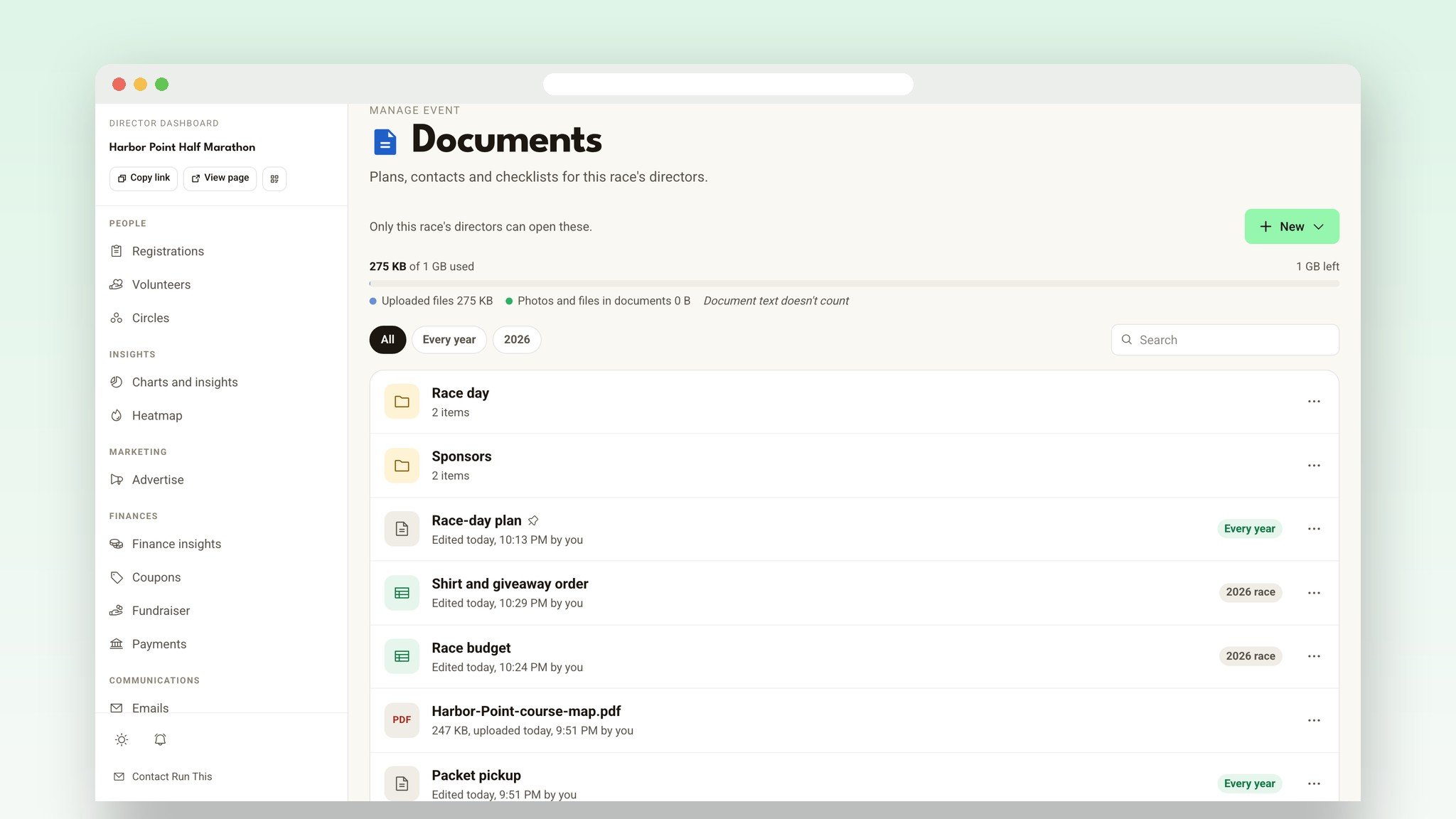
Documents, sheets and a drive, in your race dashboard. One click from your registrations.
Build and upload documents and files. Upload images and build and store documents from year to year.
Your race's numbers, live. Registrations, shirt sizes, volunteers and money feed into your budget and your plans.
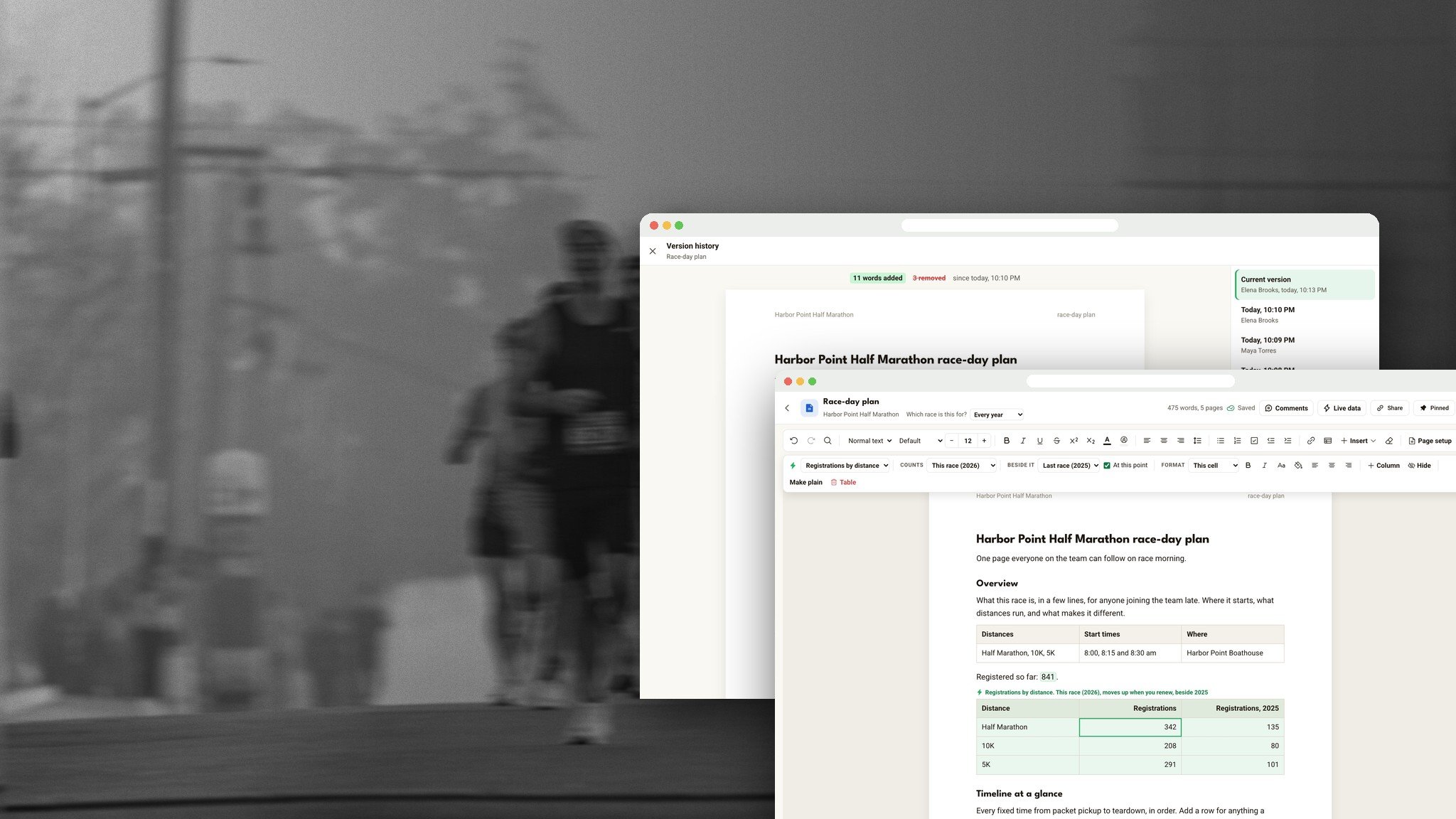
A document builder. Real pages with photos, tables, headers and page numbers. Download a polished PDF or Word file.
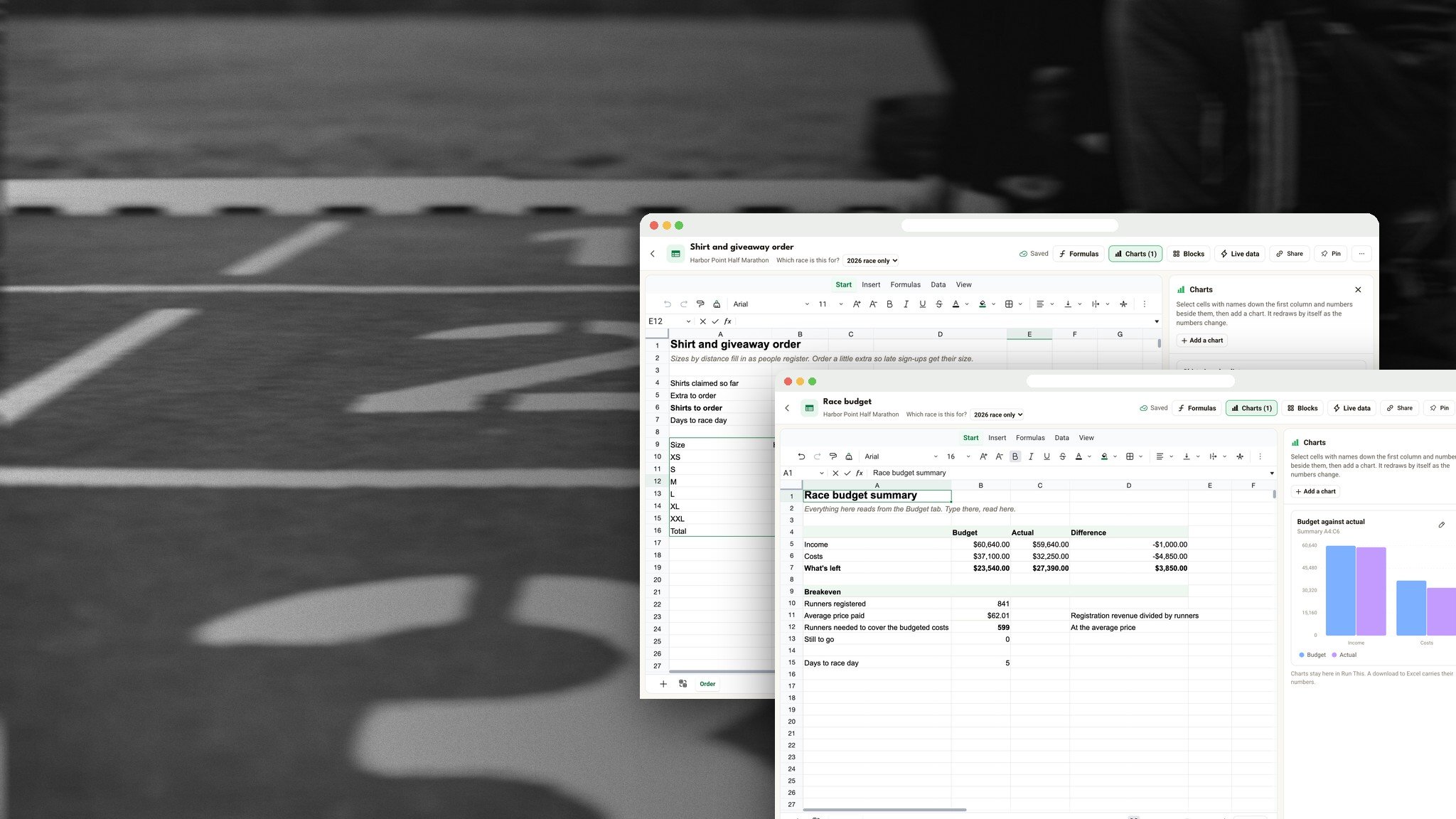
A sheets builder. Formulas, charts and shortcuts that work like Excel and Google Sheets, plus your race's live numbers.
20 templates built for races. 12 documents and 8 sheets, from a race-day plan to a race budget.
Work together, live with multiple editors at the same time. Plus comments, version history and share links for people outside your race, view only or comment.
Move in from Google Drive. Open Word, Excel and CSV files as they are.
Included with Run This. No extra subscription.
A drive for every race
You already run registration, volunteers, check-in and your money from your race dashboard. Now your race's drive lives there too. Open Documents under Setup and it's all in one place: the race-day plan, the budget, the shirt order, the permit PDF, the sponsor logo kept at print quality. Make folders, pin what you open every day, and file each thing under this year's race or under Every year for the stuff you reuse.
Every director on your race can already open it. No sharing settings. No "can you send me the link?" Add a co-director and the binder is waiting for them.
A budget that fills itself in
This is the part I'm most excited about. Sheets know your race.
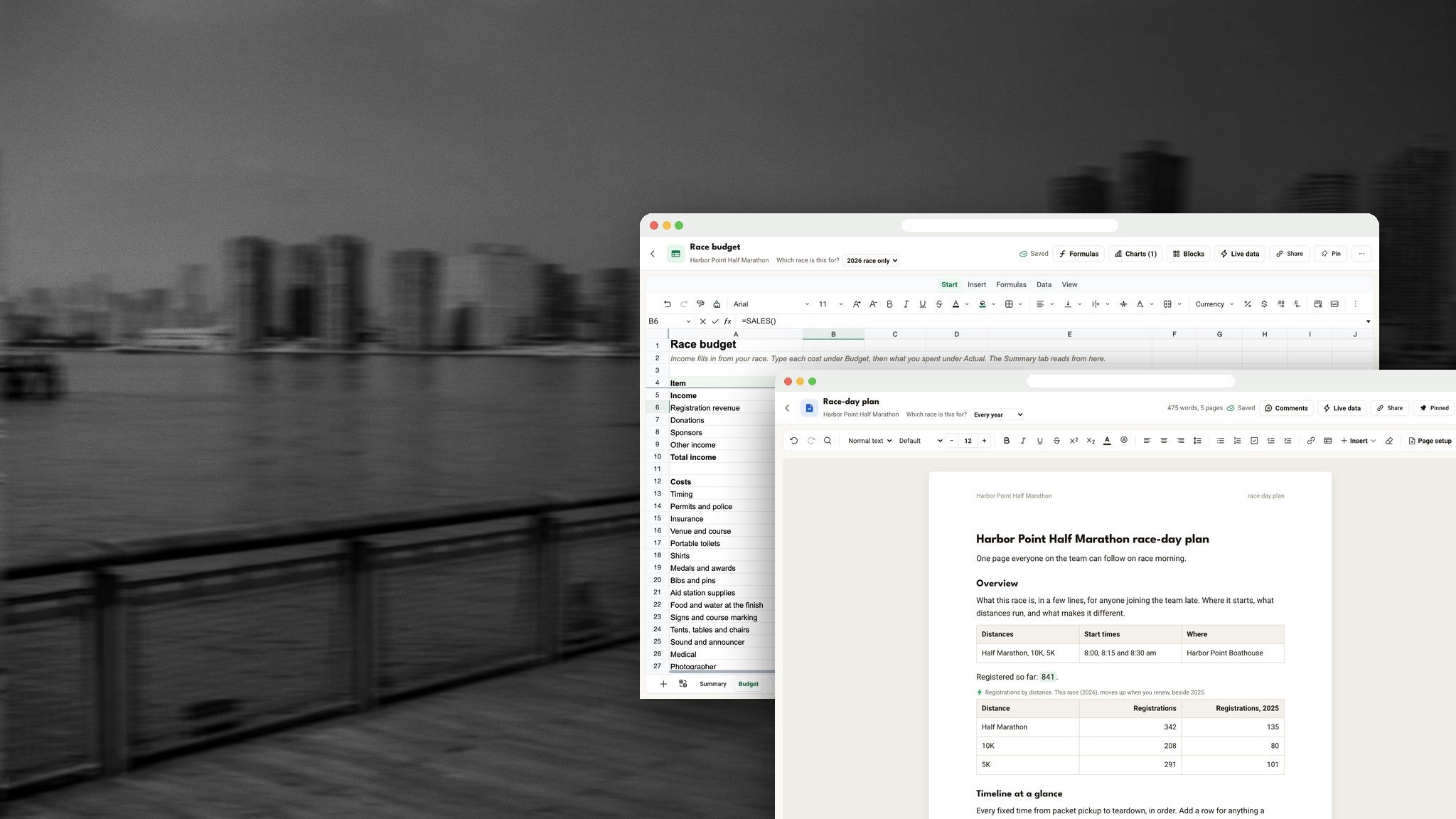
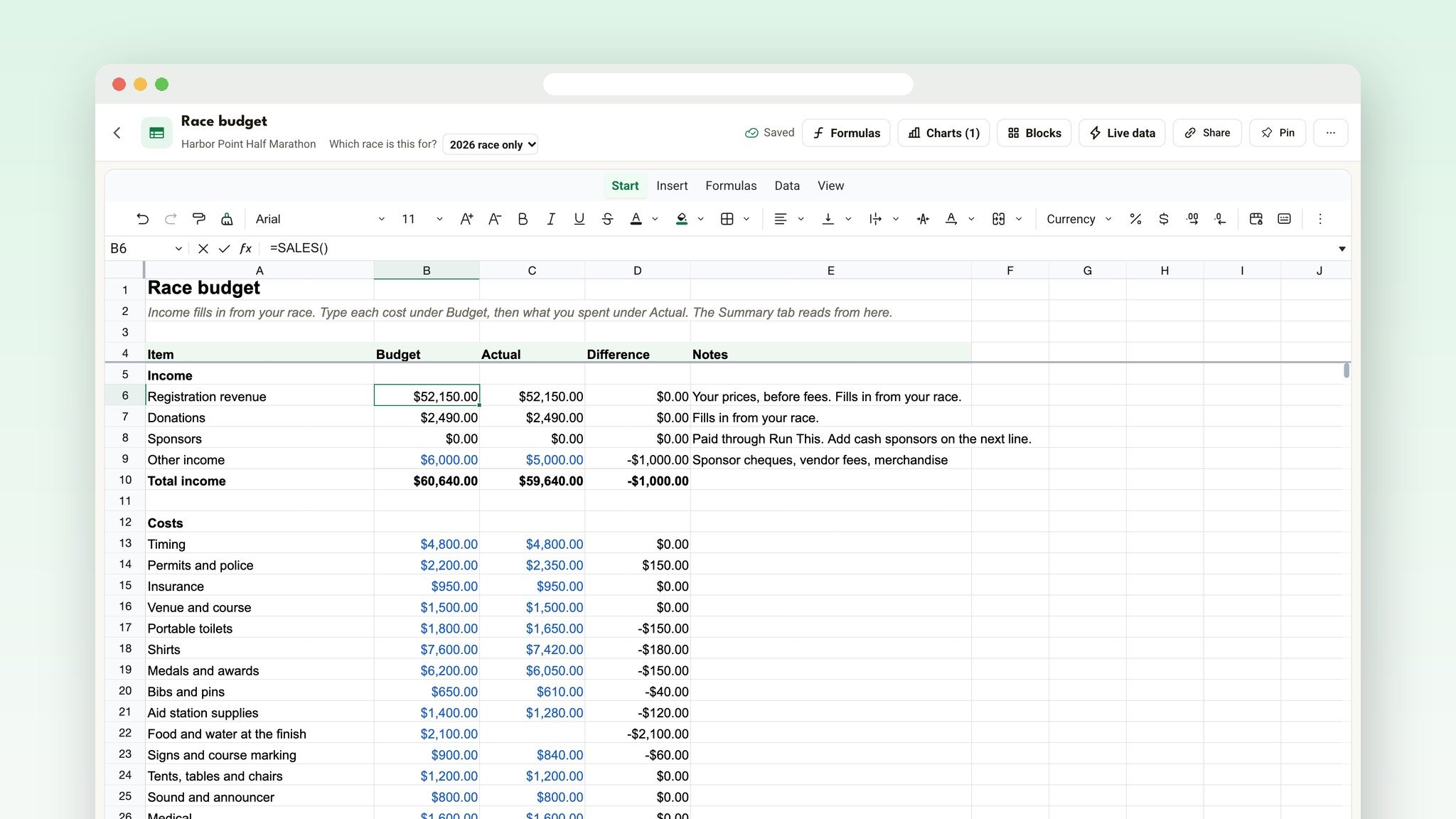
Use live data or formulas from the dropdown list... or just type =SALES() and you get your registration revenue. =NET() gives you what your race keeps, the same number as your Finance page. =DONATIONS(), =SPONSORS() and =REFUNDS() work the same way. They update on their own every time someone registers.
Start from the Race budget template and the income side is already filled in. Type your costs, and the Summary tab works out your breakeven. No exports. No copying numbers from one browser tab into another.
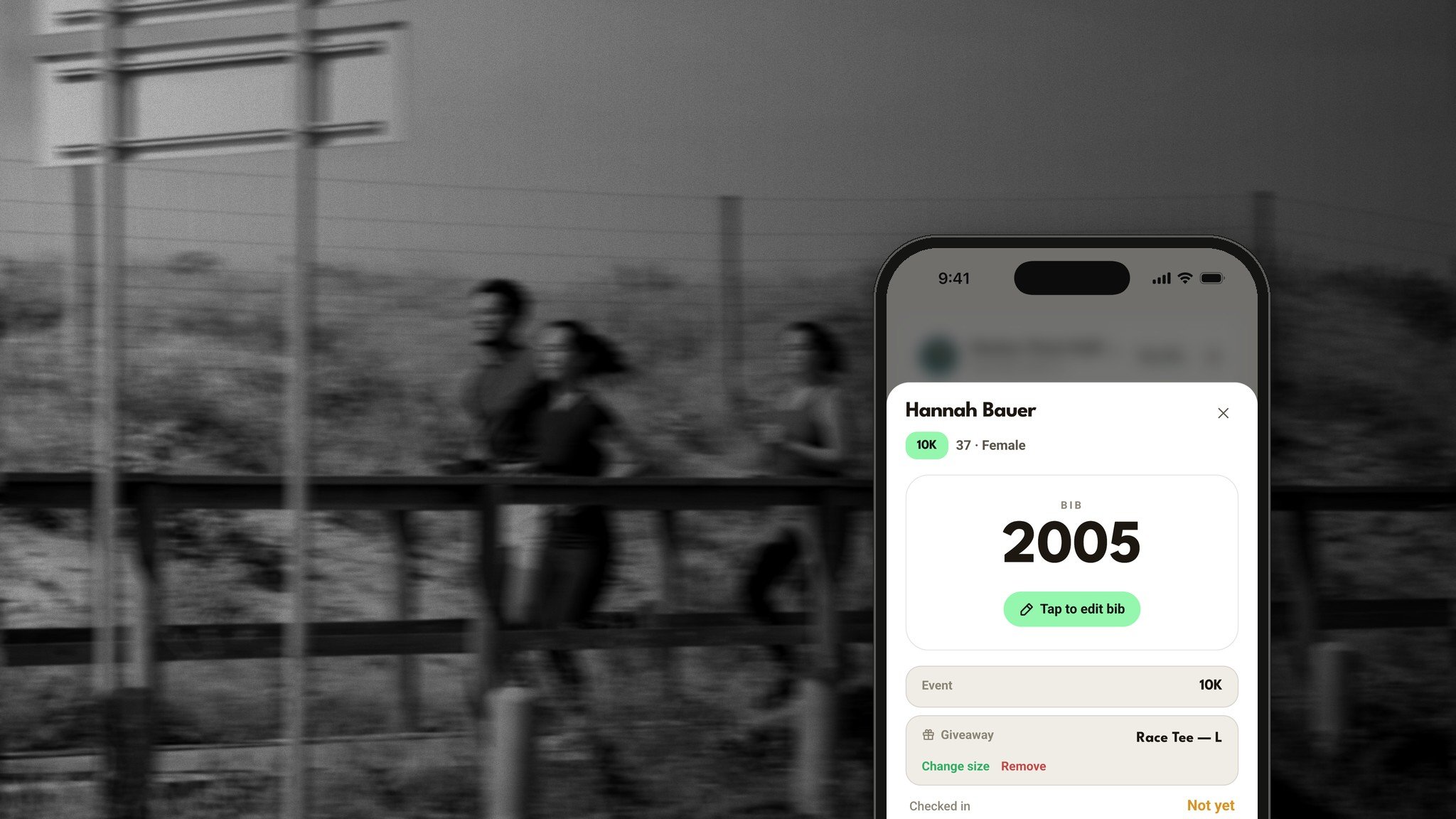
Your shirt order counts itself too, and so do your medal order, your aid station supplies and the gaps in your volunteer plan. You can even see, today, whether you're ahead of last year.
Go deeper: The Race Budget Template That Fills Itself In
A document builder that makes real PDFs
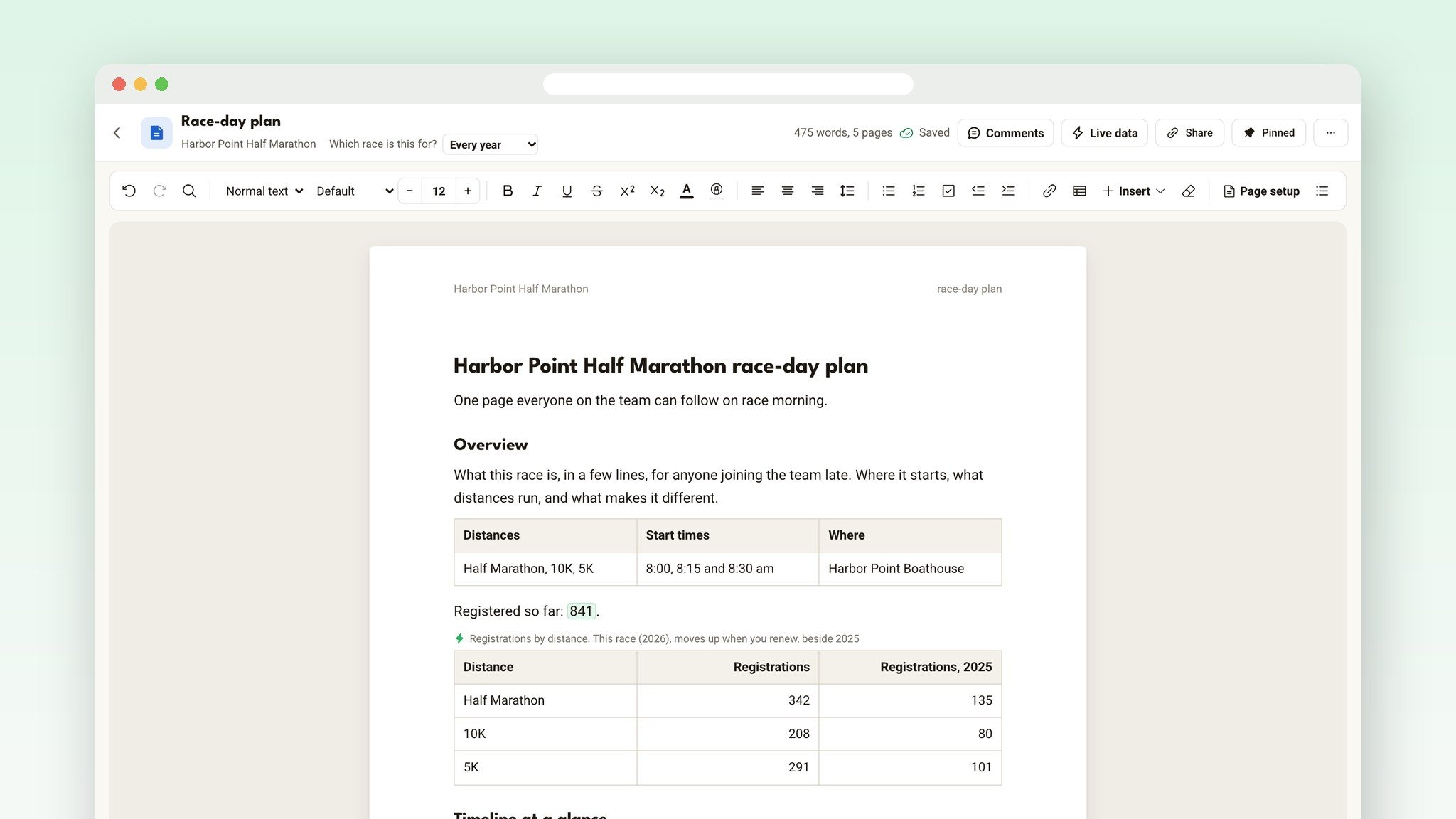
Documents in Run This aren't a text box. You write on real pages, Letter or A4, with headings, fonts, colors, tables, photos, headers, footers and page numbers. What you see is what prints, so the PDF is ready for your permit packet or your volunteer binder.
Then add your race. Drop a live number into any sentence, like "Packets picked up so far: 212 of 840 registered," or a whole live table. Start from one of 12 templates, from the event manual to the emergency plan, or drop in any of over 30 ready-made sections.
Go deeper: The Document Builder for Race Directors
Something for everyone on your team
The race director gets everything in one place, and knows what changed. When a co-director edits something after you last opened it, a note tells you who, and See changes shows you exactly what.
The volunteer coordinator gets a Volunteer roster that pulls every role and sign-up from your Volunteers page, and sees where the gaps are this week, not on race morning.
The treasurer gets income that matches the Finance page, with budget, actual and difference side by side.
The sponsor lead gets a Sponsor tracker and a Sponsor promises document, so every logo, booth and shout-out you promised actually happens.
Everyone on race morning gets the Race-day plan: one page the whole team can follow.
Plan it together, live
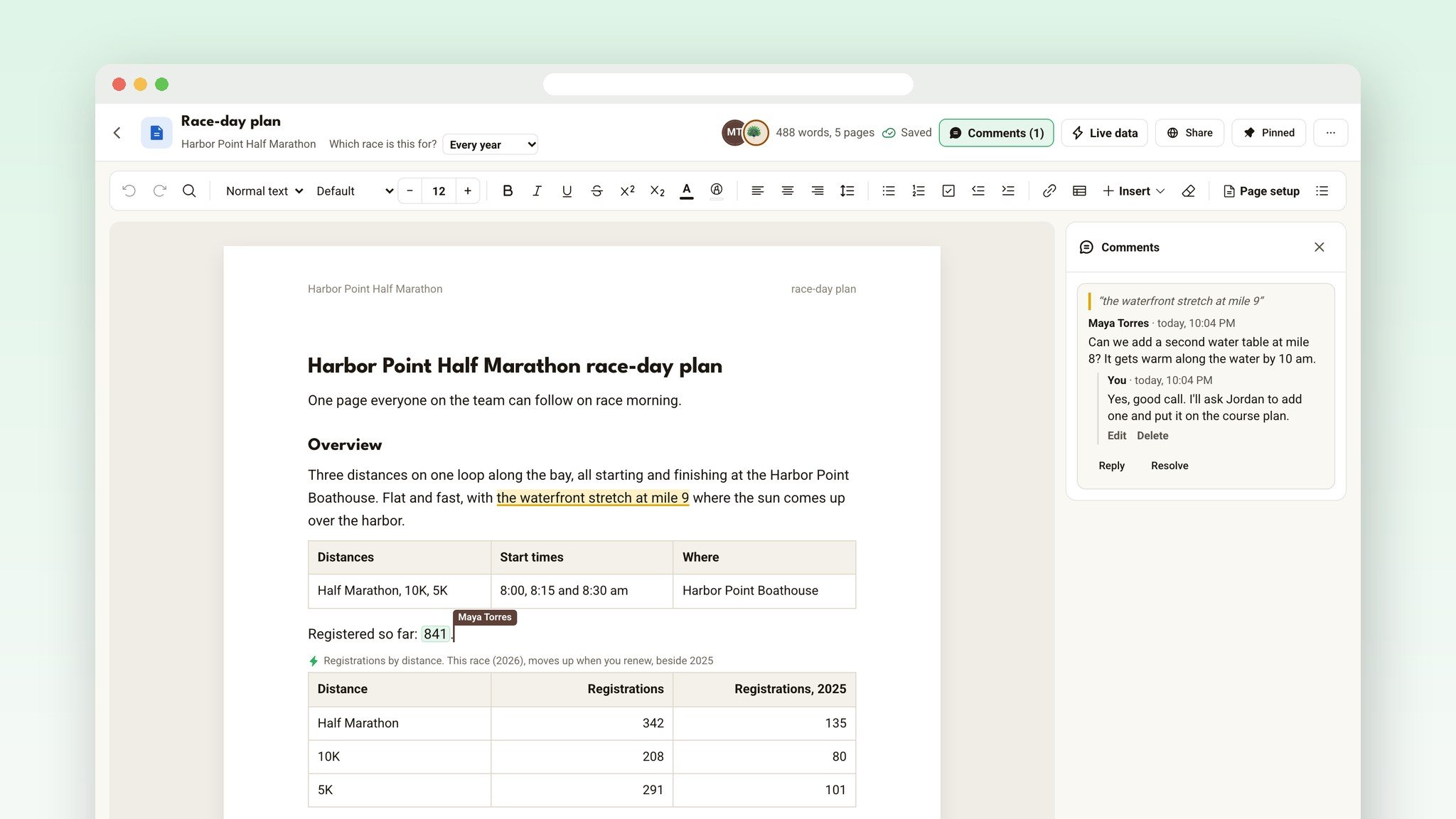
Your co-directors can type in the same document as you, at the same time. Everyone's cursor shows in their own color with their name, and the faces at the top show who's in it right now. Sheets work the same way.
Select a line, press Comment, and pick who should get an email about it. Reply to keep the conversation in one place, and resolve it when it's done. No more 40-message email threads about the start line.
Never lose a thing
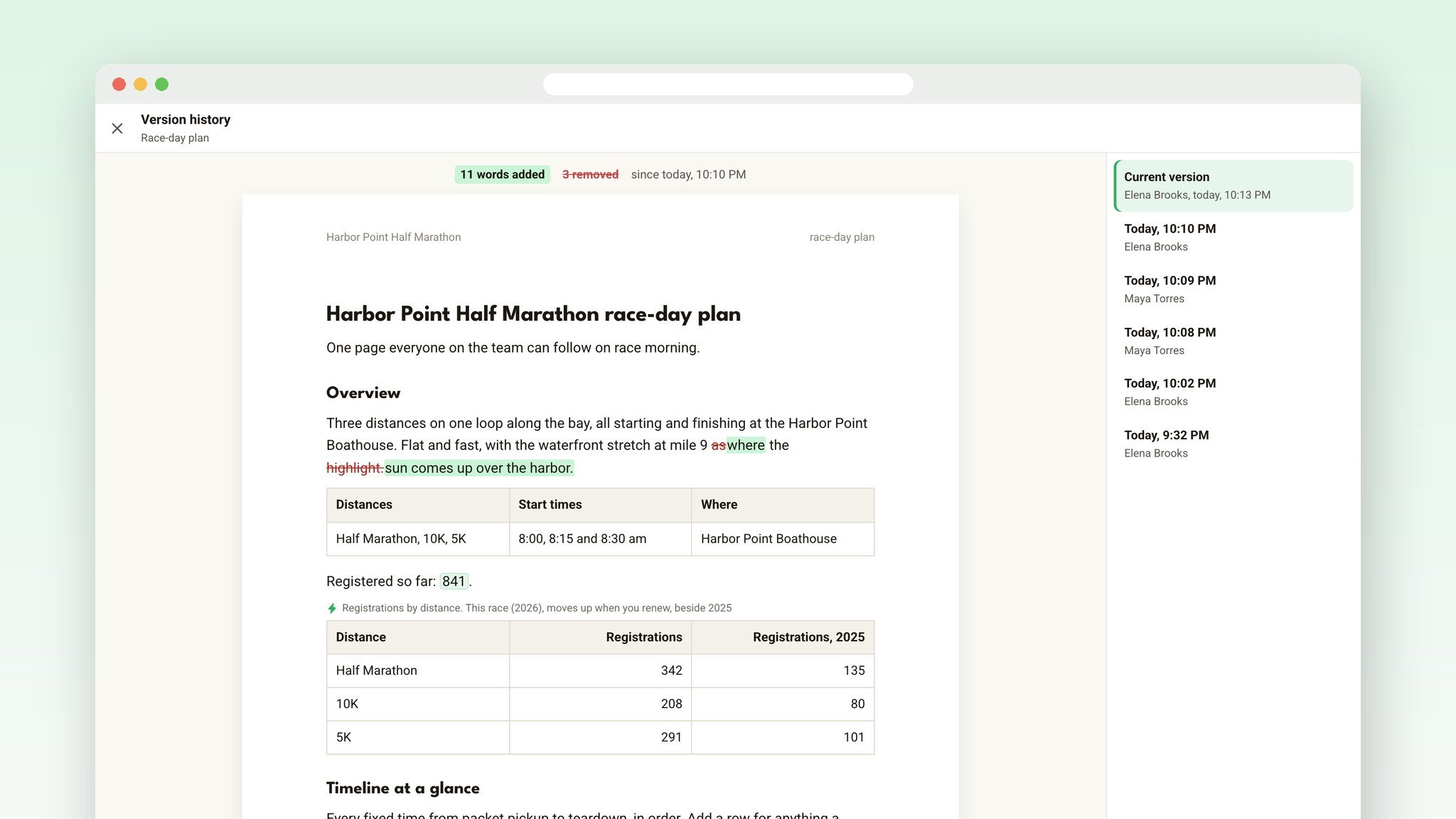
Run This keeps earlier versions of every document and sheet, so you can see who changed what and when, and Restore puts any version back. Undo only takes back your own changes, never a co-director's. Deleted something by mistake? It waits in Recently deleted for 30 days.
Private when it needs to be
New documents are open to every director on your race. When something is only for a few of you, like vendor quotes or a sponsor contract, make it private and pick who sees it, or lock a finished plan so nobody changes it by mistake. Runners never see any of it: nothing in Files shows on your event page.
Share it with anyone, no account needed
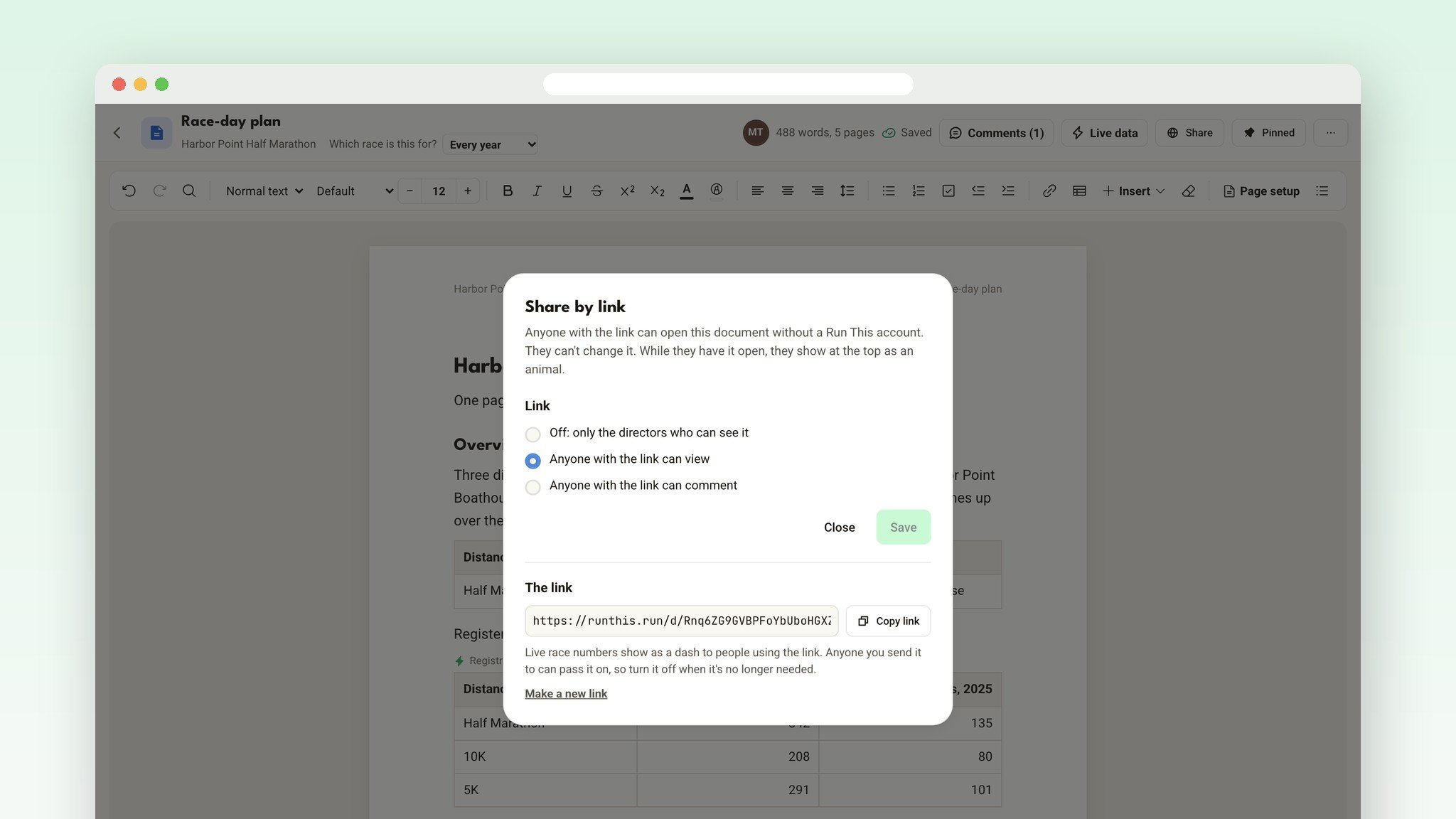
Your city contact, your timer, a sponsor, a board member. Press Share, copy the link, and send it. They read it without a Run This account and watch it change as you type, which is perfect on a call. On documents, you can let them comment too. While they have it open, they show up at the top as a running animal, like Tempo Tortoise.
Your race's live numbers stay with your directors: anyone using a link sees a dash instead. And Make a new link stops the old one right away.
Moving in from Google Drive
Bring what you already have. Download a Google Doc as Word or a Google Sheet as Excel, then open it in Files, with its formatting, tables, photos and formulas. Upload everything else just as it is: PDFs, photos, logos in AI or EPS, GPX course files, PowerPoint decks. Each race gets 1 GB.
And nothing's locked in. Any document downloads as a PDF or Word file, and any sheet as Excel or CSV.
It stays with the race, year after year
Every race has that one person whose account holds everything. Then they move, or step back, and years of race knowledge walk out the door. In Run This, your files belong to the race, not to anyone's personal account. If a director stops directing your race, their documents go to your lead director.
When you renew, every document and sheet comes along with a saved version of how it looked that day. Checklists can start fresh, live numbers start counting the new race on their own, and renewal can make a clean copy of this year's budget for next year.
Running more than one race?
The Files page on your main dashboard shows a folder for every race you direct, plus My files: a private space only you can open, with its own 1 GB. Save your templates once and use them at every race.
Set it up in five minutes
Open your race's dashboard. Under Setup, click Documents.
Press New, then Sheet from a template, and pick Race budget. Add your costs.
Press New, then Document from a template, and pick Race-day plan.
Moving from Google Drive? Download your files as Word or Excel, then press New, then Open a Word, Excel or CSV file.
Tell your co-directors. It's already waiting for them.
Files is included with Run This, with no extra subscription. It's on the Run This website, for every race that takes sign-ups through Run This.
Ready?
Open your dashboard, pick your race, and click Documents. Then go deeper: The Race Budget Template That Fills Itself In and The Document Builder for Race Directors. Every detail lives in the help center: Documents and Sheets.
Know a race director whose whole race lives in a Google Drive folder? Send them this.
Something you wish it did? Tell me. I read every one.