The easiest runner to sign up is the one who ran your race last year.
But for most races, that list lives in a spreadsheet, an old email account and the director's memory. By the time registration opens again, half of it is out of date.
Run This keeps it for you. Every runner, every year, in the same place you take registrations. Nothing to connect, nothing to sync, nothing to upload again.
What you get
Returning runners, counted. See who has run your race before, and which years.
Every year saved. Last year's roster, money and answers, one click away.
Emails to last year's field. Minus anyone who already signed up.
This year against last year. Signups lined up, day for day.
A roster you can ask anything. Filters, columns, saved views and exports.
One inbox for runner questions. Shared with your co-directors.
See who's coming back
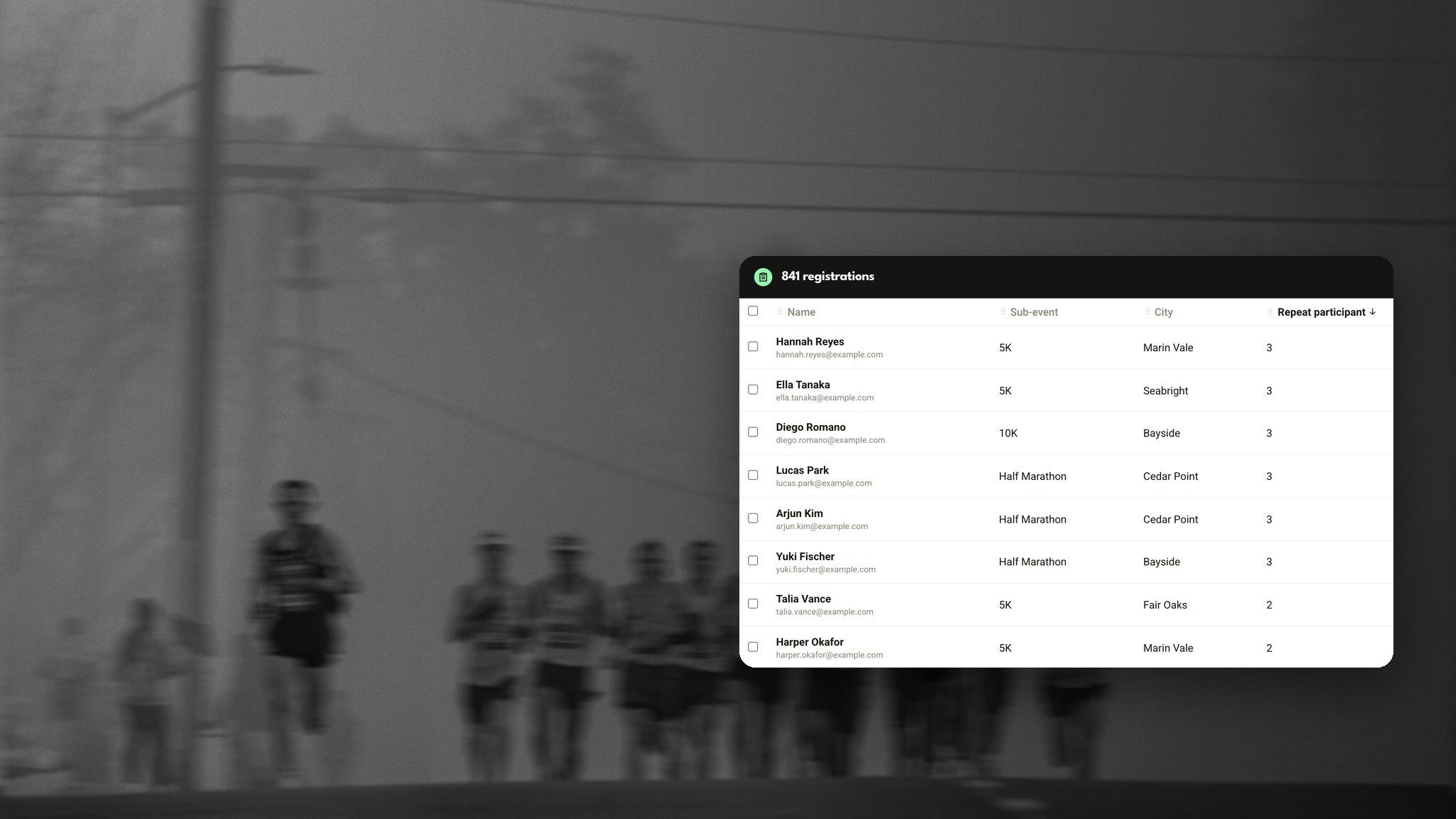
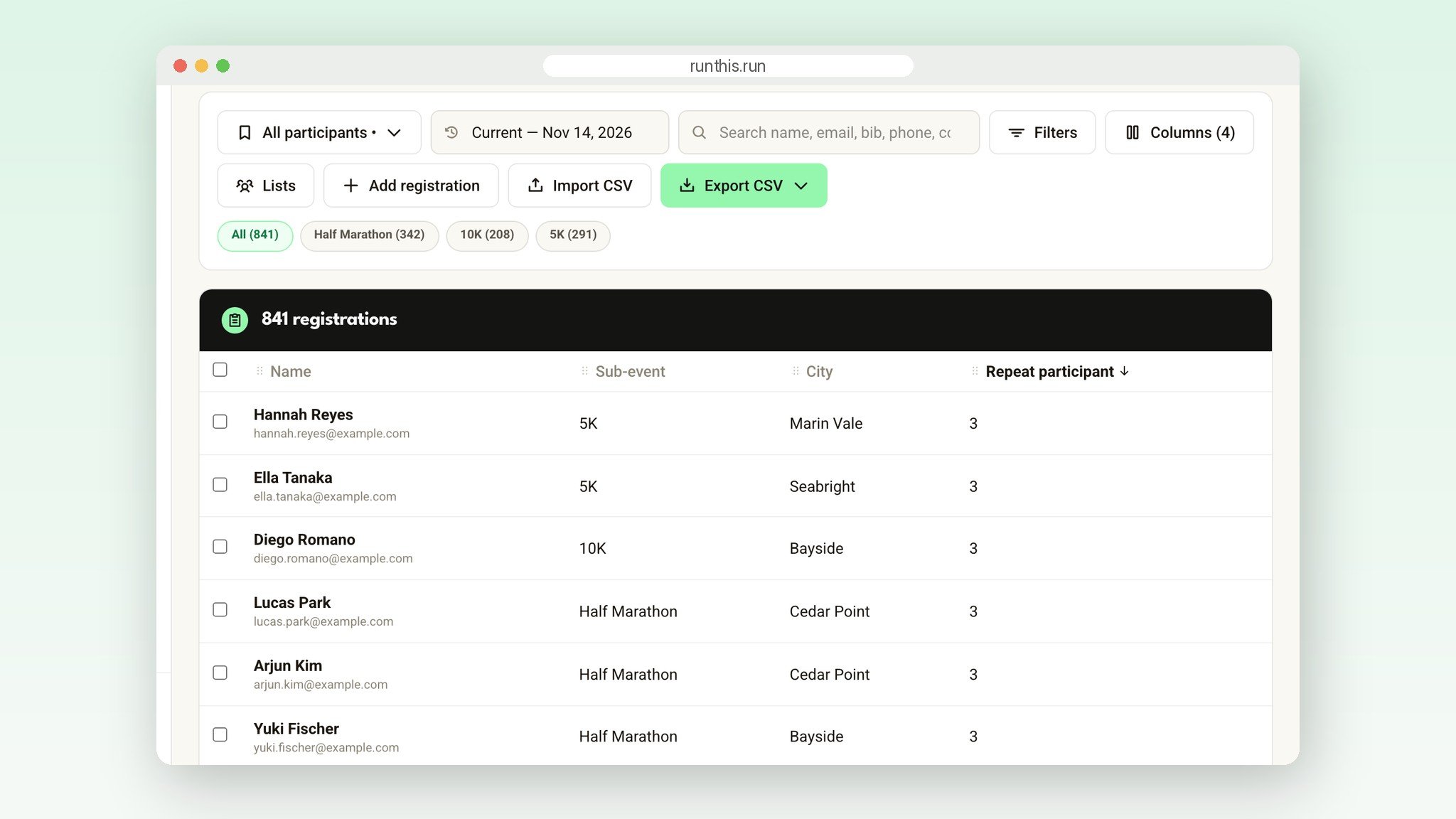
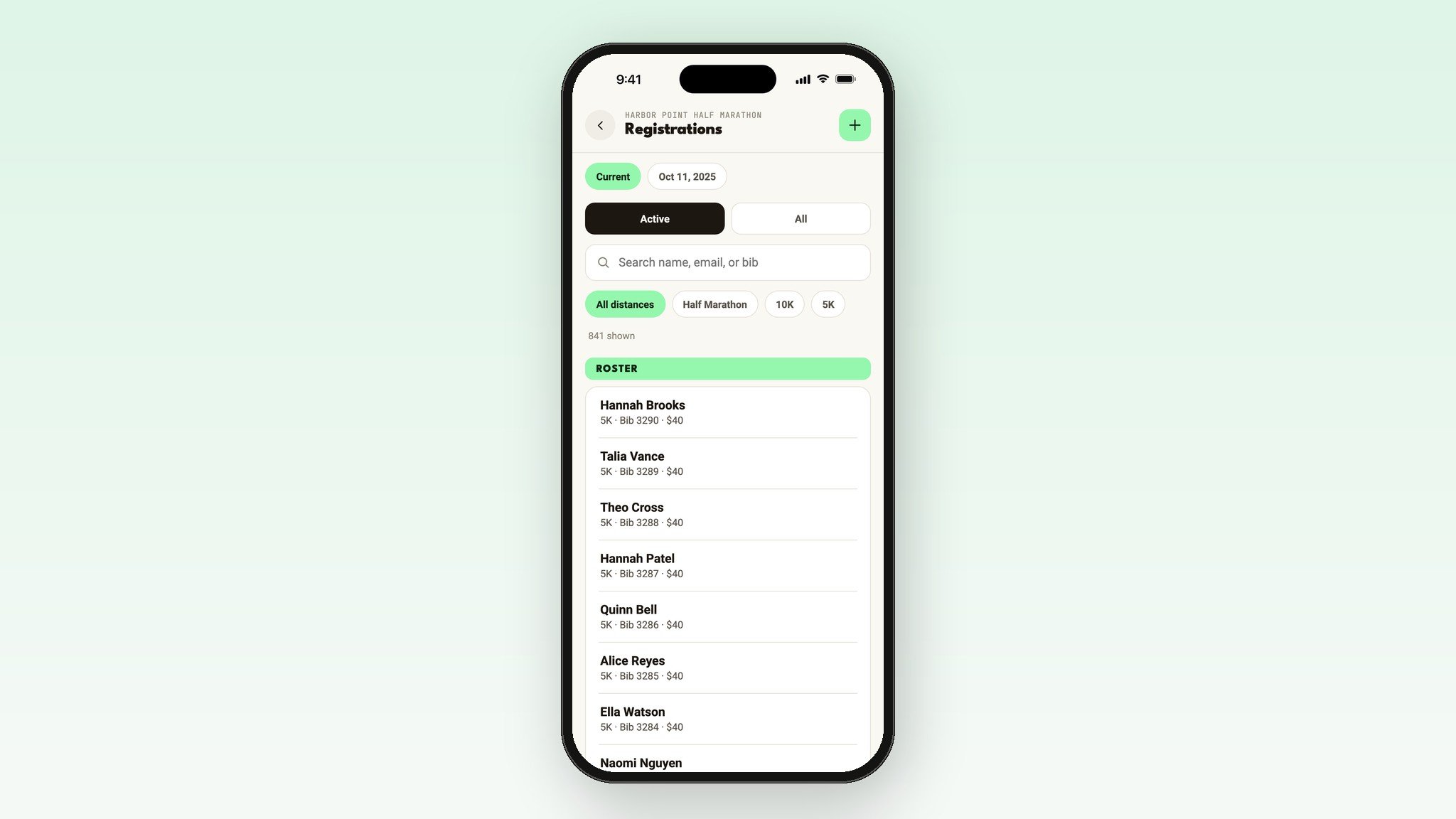
Every roster has a Repeat participant column. It counts how many times each runner has registered for your race, across every year. Sort by it, and your most loyal runners rise to the top.
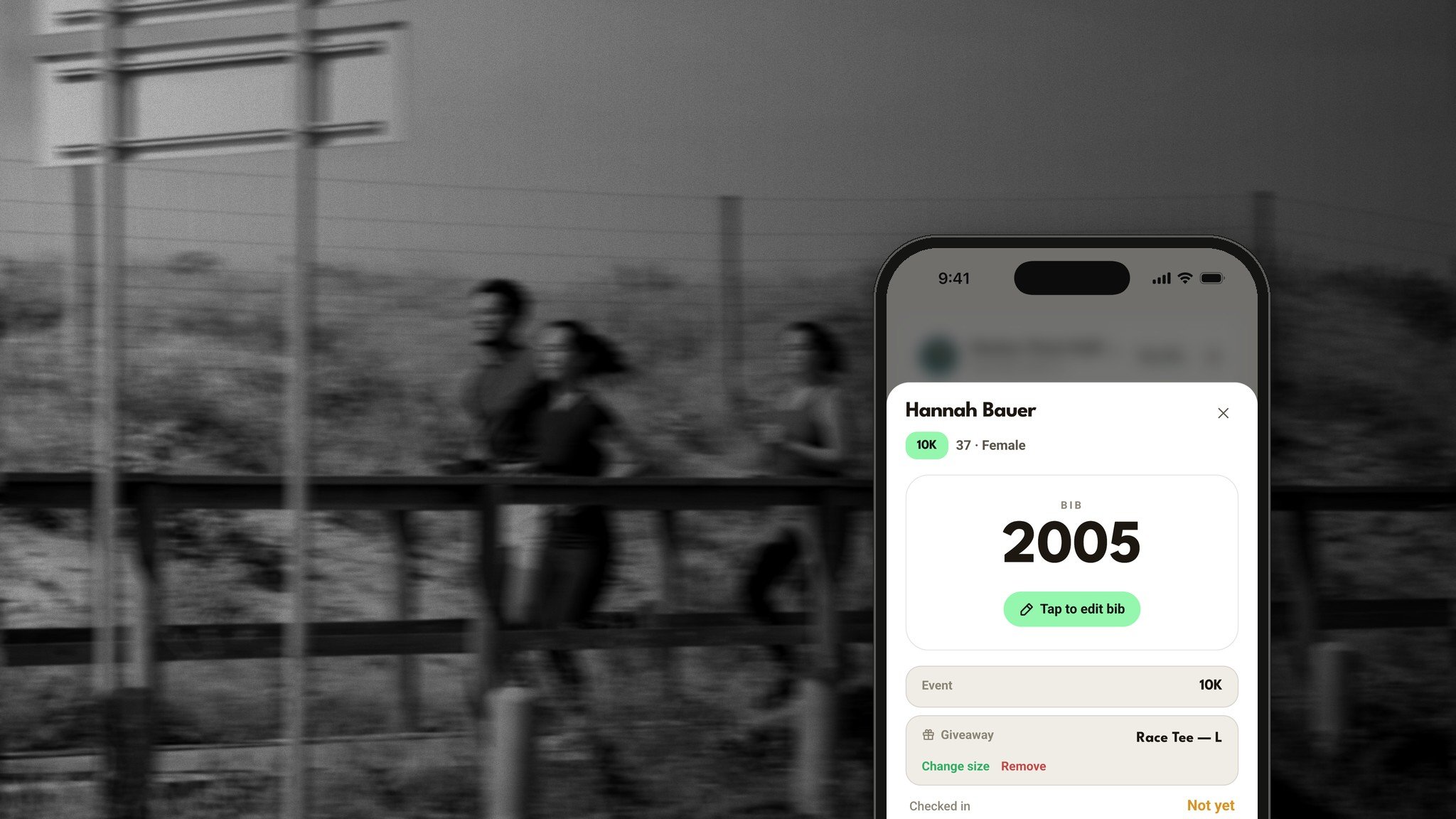
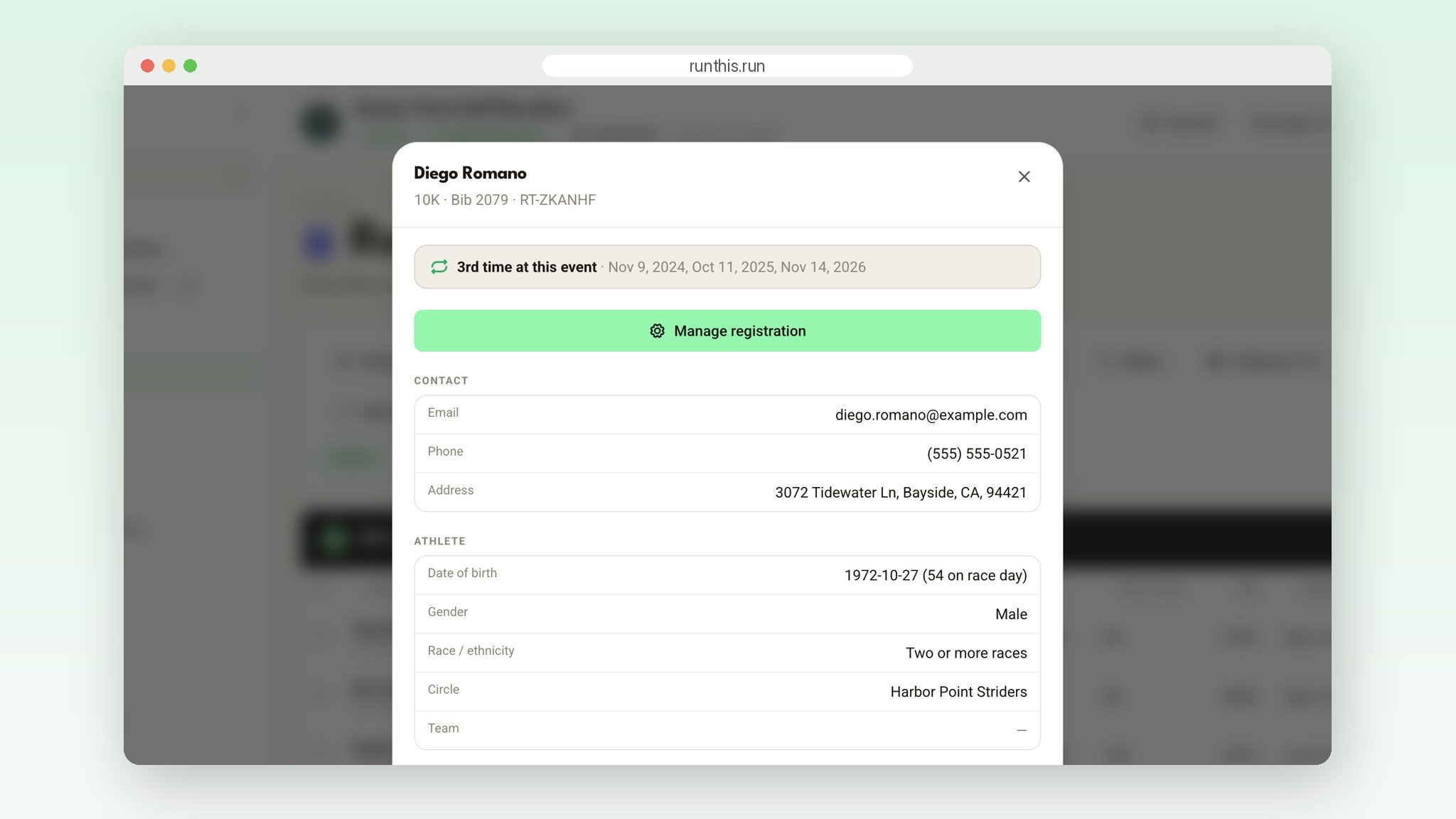
Open any runner to see their history with your race, like "3rd time at this event", with the date of each one. Now you know who to thank at the start line, and who deserves a shout-out in your race-week email.
Last year is one click away
When your race is over, click Renew. Run This saves the whole year: registrations, payments, question answers, volunteers, sponsors, results and fundraiser totals. Then it sets up next year's race on the same page, at the same address.
A year picker on Registrations, Charts and insights, and Finance insights opens any past year exactly as it was. Filter it and export it any time. Runners who bookmarked your race carry forward too, so they're ready when registration opens.
Email last year's runners before they forget
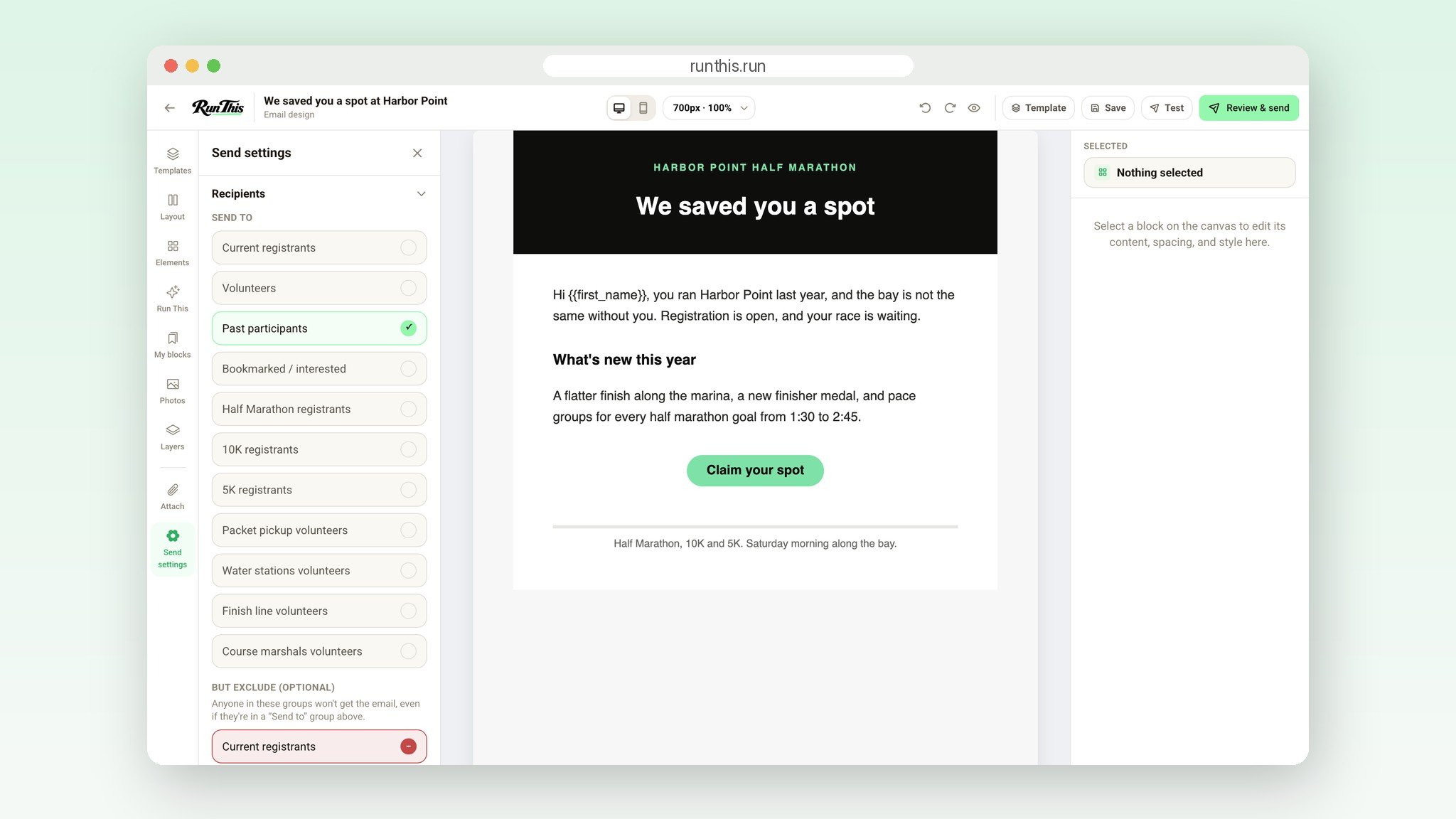
In Emails, pick who gets it: this year's runners, past participants, people who bookmarked your race, your volunteers, or one distance. Then exclude anyone you don't want. Past participants, minus current registrants, is the email that fills a race.
A live count shows exactly how many people it will reach before you send. Promotions skip anyone who unsubscribed. After it goes out, you see how many were delivered, opened and clicked.
Know if you're ahead of last year
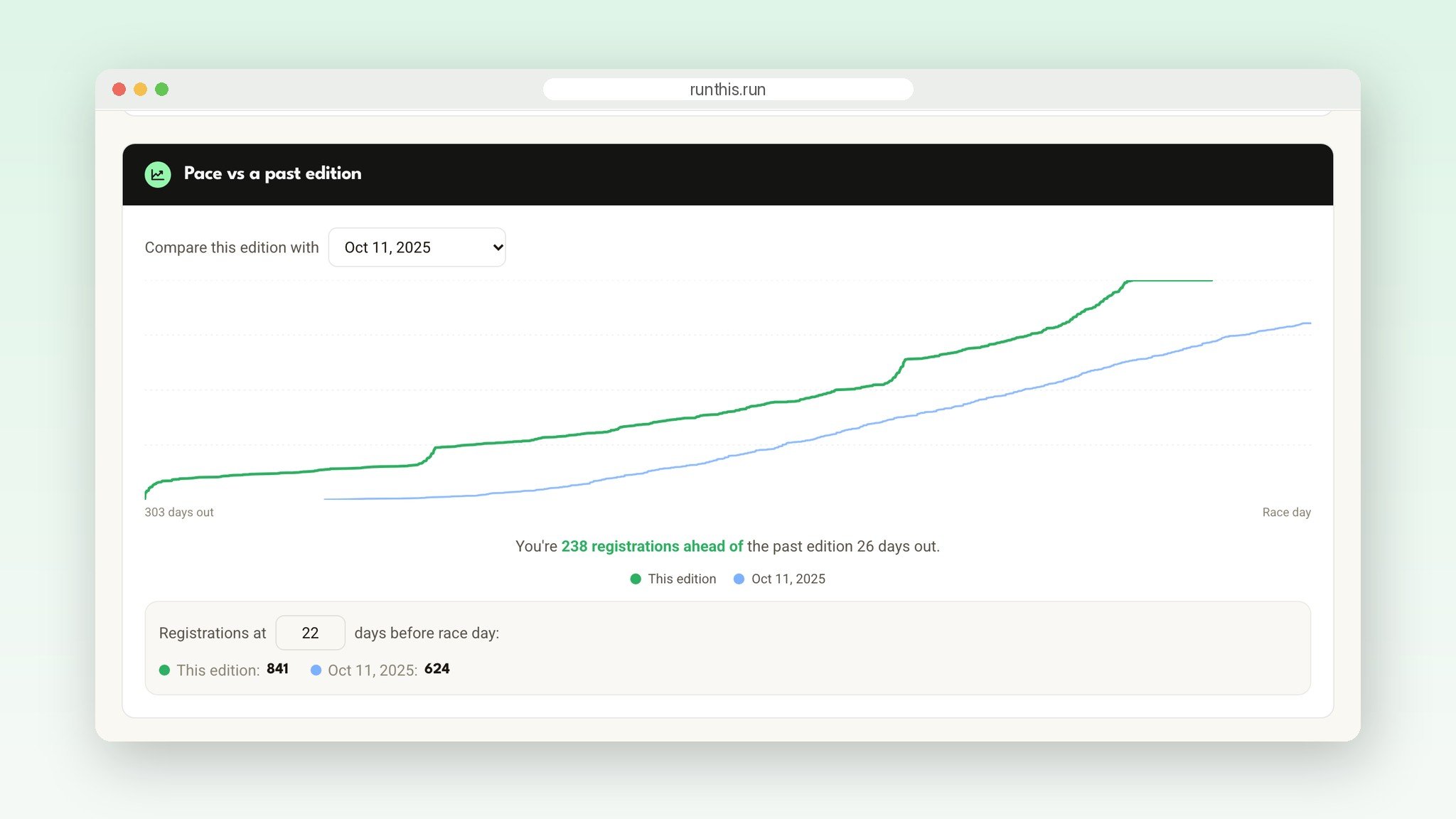
Charts and insights lines up this year's signups against a past year, counted in days before race day. One look tells you whether you're on pace, or whether it's time to send that email.
The same page shows ages, gender, how people heard about your race, and where your page visits and registrations come from. The Heatmap shows where your runners live, so you know where next year's flyers should go.
Ask your roster anything
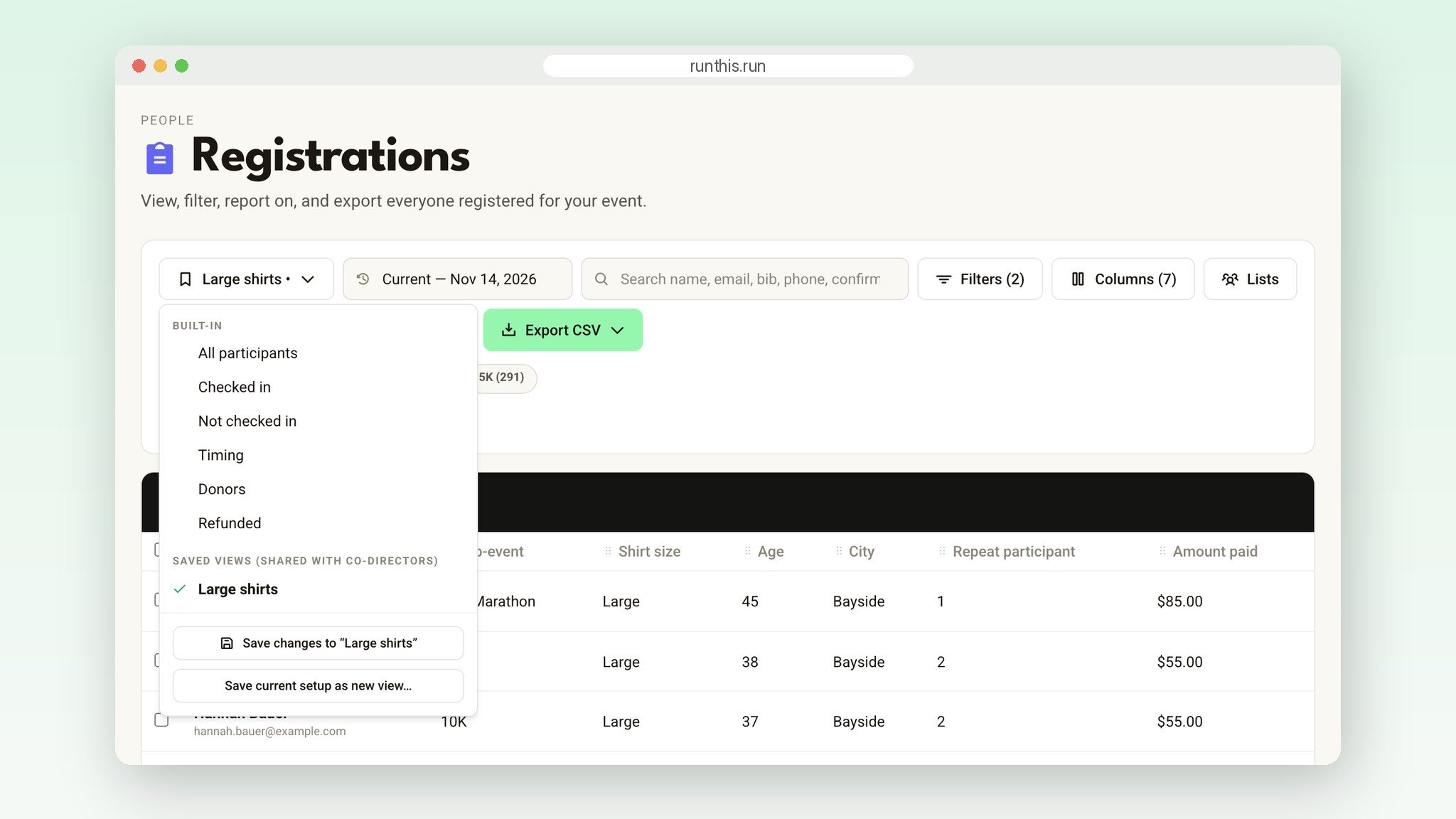
Search by name, email, bib or phone. Stack filters for age, city, distance, coupon used, donated, checked in, or any answer to your own questions, like "Shirt size = Large". Pick the columns you want and export exactly what's on screen.
Save any setup as a view, and it's one click from then on, for you and your co-directors. Need a hand-picked group, like elites or media? Add them to a list. Notes you add to a runner stay on their registration. Runners and timers never see them.
Every question in one inbox
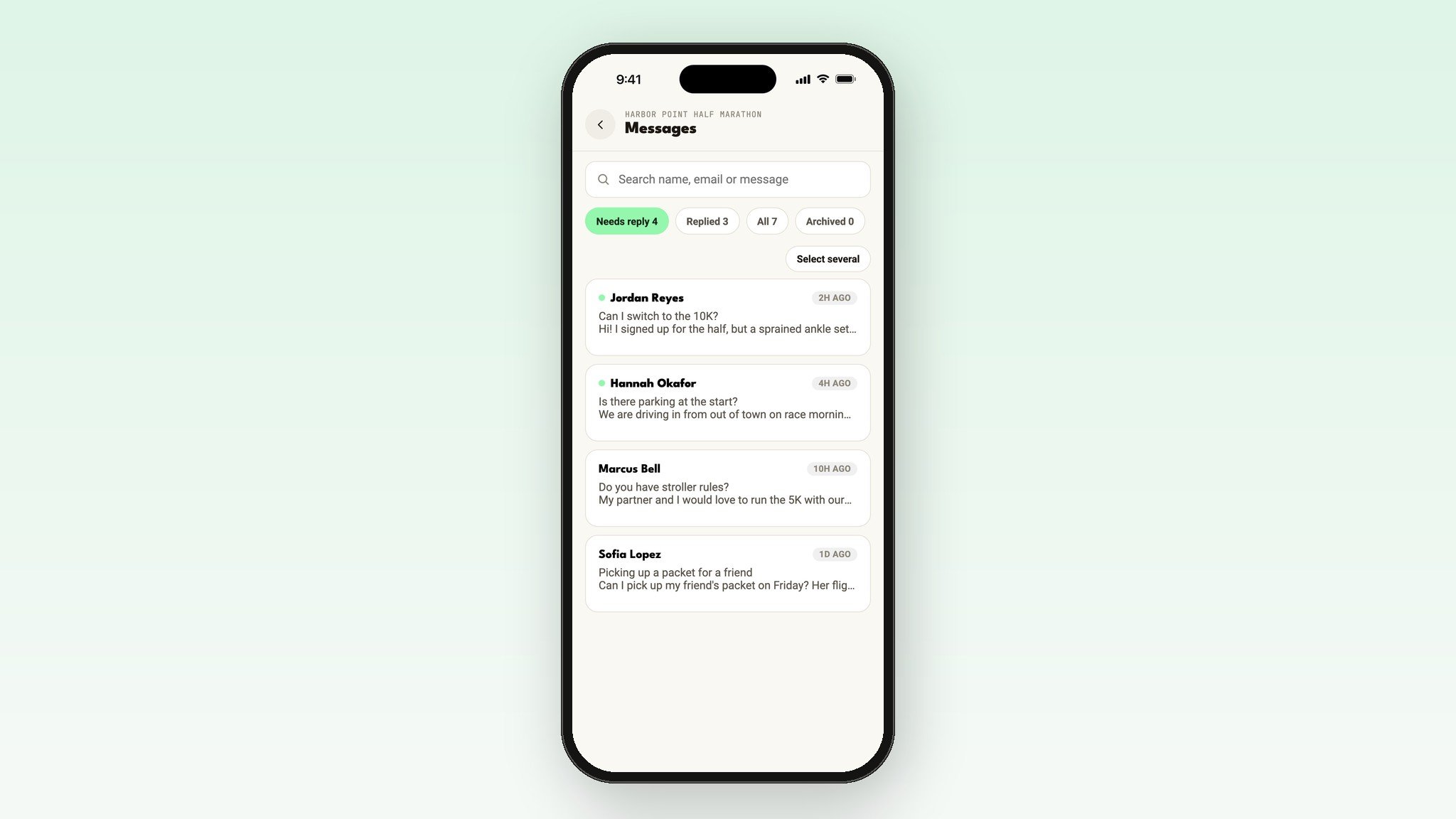
Your event page has a Contact the director form, so your email address is never posted publicly. Every message lands in Messages on your dashboard, with a count of what still needs a reply.
Reply from your own email, then mark it replied. Your co-directors see the same inbox, so nobody answers the same runner twice.
Bring your list. Bring your history.
Moving from another registration platform? Send us your past rosters, one file per year, and we bring them over for you. They show up as past years on your dashboard, and those runners are your past participants from day one.
Run your races through a club on Run This? Import the email list you already have (Mailchimp exports work as they are) and add a signup form to your own website. Then email that list alongside everyone who has ever run one of your races. Someone on both gets one email, not two, and an unsubscribe always sticks.
In your pocket, too
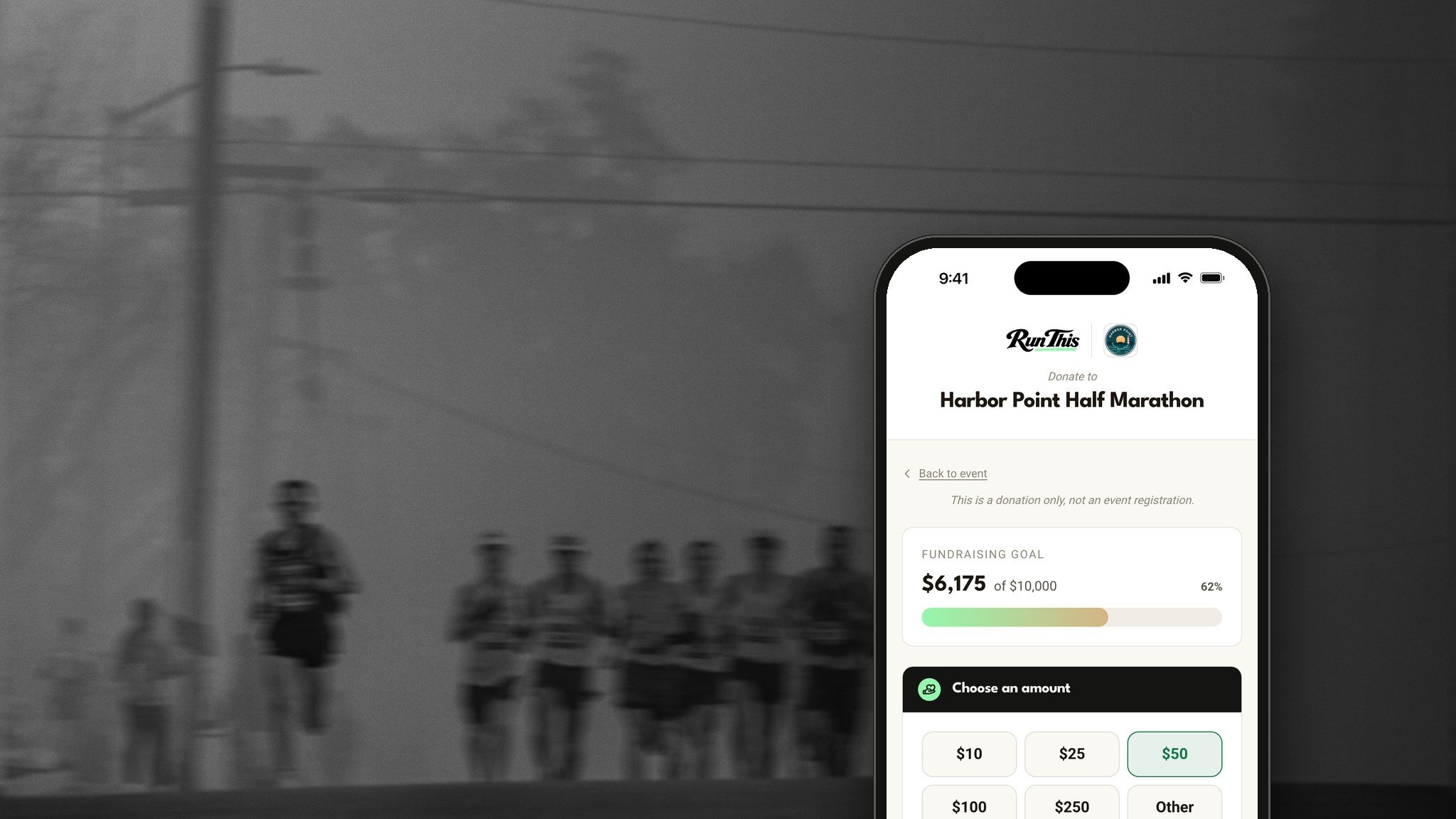
The Run This app carries your roster, past years included, plus your charts, your Heatmap and your Messages. Look up a runner, add a registration at the table, or answer a question from the parking lot.
Try it on your race
Open your race's dashboard and click Registrations, under People. Sort by Repeat participant.
Filter to the runners you need. In the view menu at the top left, choose Save current setup as new view.
Open Charts and insights, under Insights, and compare this year with last year.
Open Emails, under Communications, and create an email. Under Recipients, pick Past participants, then exclude Current registrants.
Check Messages for anything that still needs a reply.
After every finish line
Renew your race when it's over. That year's runners become your past participants.
The day registration opens, email past participants and bookmarkers, minus anyone already registered.
Check your pace against last year every week or two.
Sort by Repeat participant and thank your regulars.
Ready?
New to Run This? Create your race. It takes a few minutes, and we'll bring your past years over for you. Want a tour first? Book a walkthrough.
Already here? Open your dashboard, pick your race, and click Registrations. Every detail lives in the help center: Registrations, reports and finance, Renewing an event, Emails and Messages from athletes.
Want runners coming back after race day, too? Read about race photos that bring runners back next year.
Something you wish it did? Tell me. I read every one.